發表文章

目前顯示的是 1月, 2021的文章

簡易遙控車DIY

圖片
若您覺得文章寫得不錯,請點選文章上的廣告,來支持小編,謝謝。 本篇內的材料是由 雲造 YUM (雲造臉書社團連結: https://www.facebook.com/groups/yunlinmaker )與喬智創意樂高機器人( https://www.facebook.com/george20140119 )所提供的。 在自製遙控車之前,先用 TinkerCAD 認識馬達(範例 https://www.tinkercad.com/things/0VDNKWqDK1i ),要了解的項目有: 正負極與馬達旋轉方向的關係。 電壓與馬達旋轉速度的關係。 主要材料清單如下: 三號(AA) 1.5V 電池六顆。 四通遙控板組低頻裸片一套。 arduino 智能小車底盤套件一套。 小型麵包板一塊。 魔鬼氈。 氣球。 膠帶、雙面膠帶。 將天線區分為 接收端 與 發送端 。 用螺絲與螺帽將天線固定。 首先測試無線遙控板組: 用魔鬼氈將電池固定好以及接線好後,Arduino小車完成了,圖如下,此部分沒拍影片。 接著換全聯買的葡萄塑膠盒,用魔鬼氈將馬達與電池盒固定在盒子上,用雙面膠或膠帶將氣球固定住來當萬向輪:  葡萄塑膠盒小車影片: 給小朋友玩後,小朋友覺得塑膠盒版本的小車比較有趣!!!了解原理後,就可以試試其他遙控車,例如遙控風力獸、mbitbot小車等。 遙控風力獸 遙控mbitbot小車

The easy way to create a strong password (設定密碼的技巧)

圖片
若您覺得文章寫得不錯,請點選網誌上的廣告,來支持小編,謝謝。 If you like this post, please click the ads on the blog. Thank you very much. 可參考底下影片: 底下提供筆者自己整理的技巧: 一:以中文輸入法按鍵當成密碼 例如我喜歡" 海賊王 "這部動漫,那我就可以用" 海賊王 "這三個中文字來當作密碼的基礎,於是  海 c93   賊 yo6   王 j;6 三個字所組成的密碼就是 c93yo6j;6 ,以此為基礎還可以延伸為  c93_yo6_j;6  或是  c93@yo6_j;6  。選用的中文字也可以是自己喜歡的藝人、偶像、座右銘、成語,或是一段話。 二:將英文單字的字母順序位移 以 friday 單字為例 將 friday 每個字母往後位移一個字母變成 gsjebz 將  friday  每個字母往後位移二個字母變成  htkfca 三:將英文字母與數字穿插 例如 friday + 67890  變成 f6r7i8d9a0y 。 四:數字的英文單字 例如 生日為 2021/02/29 ,密碼可為 TwoThousandZeroOneZeroTwoTwentyNine 。 手機號碼為 0977123456 ,密碼可為 ZeroNineSevenSevenOneTwoThreeFourFiveSix 。 五:以一段英文句子當作密碼 例如: I like to share knowledge with you . 取每個單字的字首,可變成 IL2SkWu  。 六:取超長的密碼 例如:1234567890WithABCDE_abcde。請自己看出規律(哈哈) 最後,我們可以將以上方法合併使用。

C語言練習題:字串(C language exercise: String)

若您覺得文章寫得不錯,請點選文章上的廣告,來支持小編,謝謝。 If you like this post, please click the ads on the blog or  buy me a coffee . Thank you very much. 練習一:字串輸入 撰寫一可以輸入字串並輸出所輸入字串的程式。 Exercise 1: Input a string Design a program to input a string and displays it. 練習一參考解法: Exercise 1 solution: 1 2 3 4 5 6 7 8 9 10 11 12 13 14 15 16 17 18 19 20 21 22 23 24 25 26 27 28 29 30 /* Input a string and displays it. Author: Holan */ #include <stdio.h> #include <stdlib.h> int main () { const int SIZE = 100 ; char str[SIZE]; printf( "Input a string:" ); // Get any string with space method 1 scanf( "%[^ \n ]%*c" , str); printf( "Your string: %s \n " , str); printf( "Input a string:" ); // Get any string with space method 2 gets(str); printf( "Your string: %s \n " , str); printf( "Input a string:" ); // Get any string with space method 3 fgets(str, SIZE, stdin); printf(...

C語言練習題:函數(C language exercise: Fun with Function )

圖片
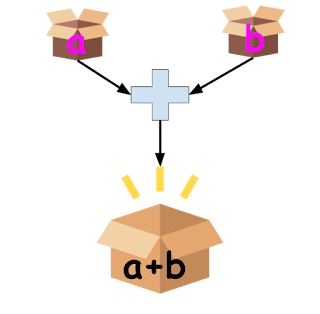
若您覺得文章寫得不錯,請點選文章上的廣告,來支持小編,謝謝。 If you like this post, please click the ads on the blog or  buy me a coffee . Thank you very much. 練習一:加法函數 設計一函數可以輸入兩個參數a與b,並回傳 a 加 b的結果。 Exercise 1: Adding function Design a function that takes two parameters and return the result of a + b. 練習一參考解法: Exercise 1 solution: 1 2 3 4 5 6 7 8 9 10 11 12 13 14 15 #include <stdio.h> #include <stdlib.h> float add ( float a, float b) { return a + b; } int main () { float x = 3.4f , y = 3.6f ; printf( "%.2f + %.2f = %.2f \n " , x, y, add(x, y)); return 0 ; } 練習二:整數乘法 設計一函數可以輸入兩個參數a與b,並回傳 a 乘 b的結果。 Exercise 2:  Multiplying Two Integers Design a function that takes two parameters and return the result of a * b. 練習二參考解法: Exercise 2 solution: 1 2 3 4 5 6 7 8 9 10 11 12 13 14 #include <stdio.h> #include <stdlib.h> int multiply ( int a, int b) { return a * b; } int main () { int x = 3 , y = 4 ; printf( "%3d + ...
Python 動手做「Micro:bit」Unit 1:點亮 LED

圖片
若您覺得文章寫得不錯,請點選文章上的廣告,來支持小編,謝謝。 If you like this post, please click the ads on the blog or  buy me a coffee . Thank you very much. 本篇文章會使用 Mu Code Editor 來開發 micro:bit 的應用程式, Mu Code Editor 是一個給Python初學者的撰寫Python程式碼的軟體工具,此軟體的操作方式可參考 Mu Code Editor 官方的教學文章: https://codewith.mu/en/tutorials/ 。 LED的原理與應用( Behind the MakeCode Hardware - LEDs on micro:bit ) Micro:bit 用 25顆的 LEDs 來顯示一些圖形,例如愛心、笑臉等。  第一個範例就使用 micro:bit 線上 Python Editor 的範例 。程式碼如下: 1 2 3 4 5 6 7 # Write your code here :-) from microbit import * while True : display . scroll( 'Hello, World!' ) display . show(Image . HEART) sleep( 2000 ) 範例結果影片: 此外 https://makecode.microbit.org/ 裡的tutorials也有提供 Python 的自學課程,例如點選 Flashing Heart ,再點選 Python 後,就可以練習用 Python 來做閃爍的愛心了。 下一篇為  Python 動手做「Micro:bit」Unit 2:按按看

APCS 觀念考題測驗表單

若您覺得文章寫得不錯,請點選網誌上的廣告,來支持小編,謝謝。 官方觀念考古題 APCS 程式設計觀念題  105 年 3 月 5 日   APCS 程式設計觀念題  105 年 10 月 29 日 APCS 程式設計觀念題 106 年 03 月 04 日 其他線上觀念題 https://www.javatpoint.com/c-quiz https://www.tutorialspoint.com/cprogramming/cprogramming_online_quiz.htm